
Pay-What-You-Will pricing
Let patrons choose what they pay for tickets, within a minimum and maximum you set.
Pay what you will lets patrons choose what they pay for each ticket, within a minimum and maximum you set. In this guide you'll add a date to your event, switch its pricing to pay what you will, and set your prices. Let's get started!
Turn on pay what you will
- Step 1:
Click Ticketing, then Events, and open your event. If you don't have one yet, start with Create your first event.
- Step 2:
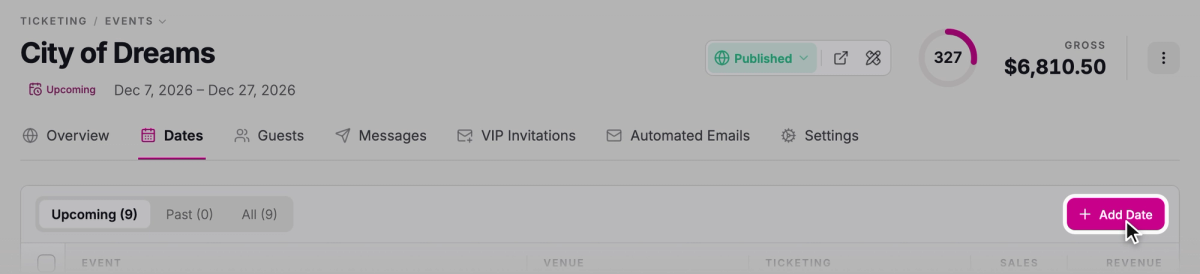
On the Dates tab, click Add Date, then set the date and time.
- Step 3:
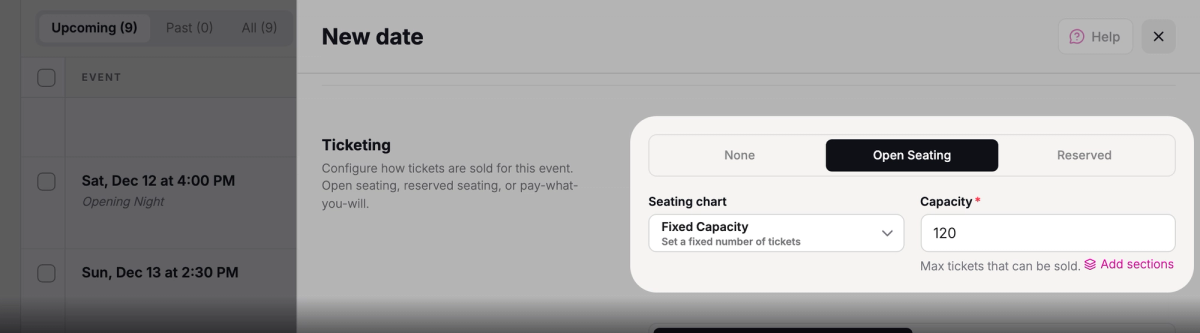
Under Ticketing scheme, choose Open Seating. Pay what you will works with open seating only.
- Step 4:
Leave Seating chart on Fixed Capacity, and enter the most tickets you can sell in Capacity.
- Step 5:
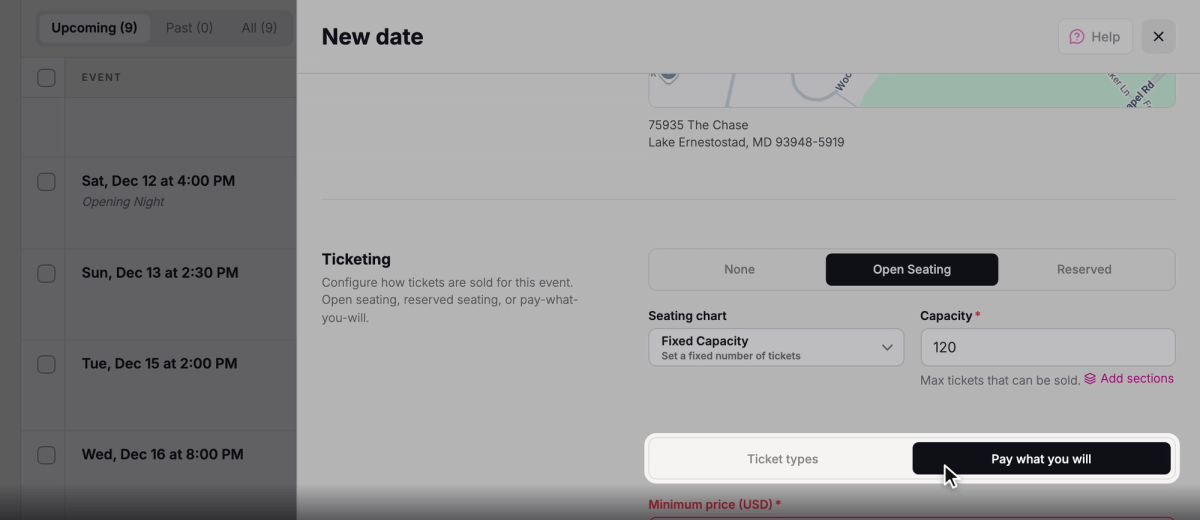
Under Pricing, choose Pay what you will.
Set your prices
The minimum is the least anyone can pay for a ticket, and it can be $0. The suggested price is what you'd like most people to pay. The maximum puts a cap on what they can pay.
Only the minimum is required. You can also add quick-select options: a few amounts patrons can pick from a list instead of typing their own.
- Step 1:
In Minimum price (USD), enter the least a patron can pay, like 5.
- Step 2:
In Suggested price (USD), enter the amount you'd suggest, like 20, or leave it blank.
- Step 3:
In Maximum price (USD), enter a cap, like 100, or leave it blank for no max.
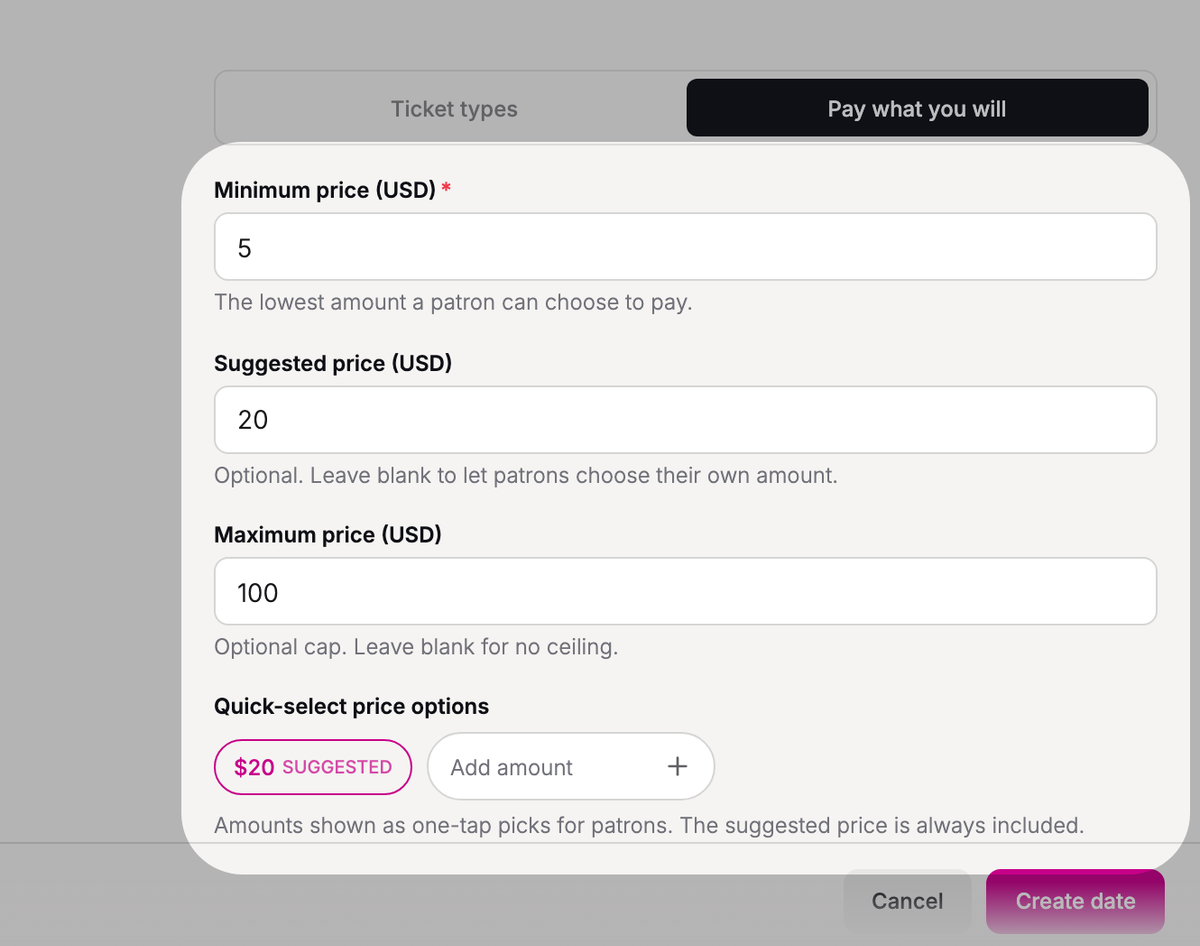
- Step 4:
To add quick-select options, type an amount under Quick-select price options, like 10, and press Enter. Repeat for each amount. Your suggested price is added for you.
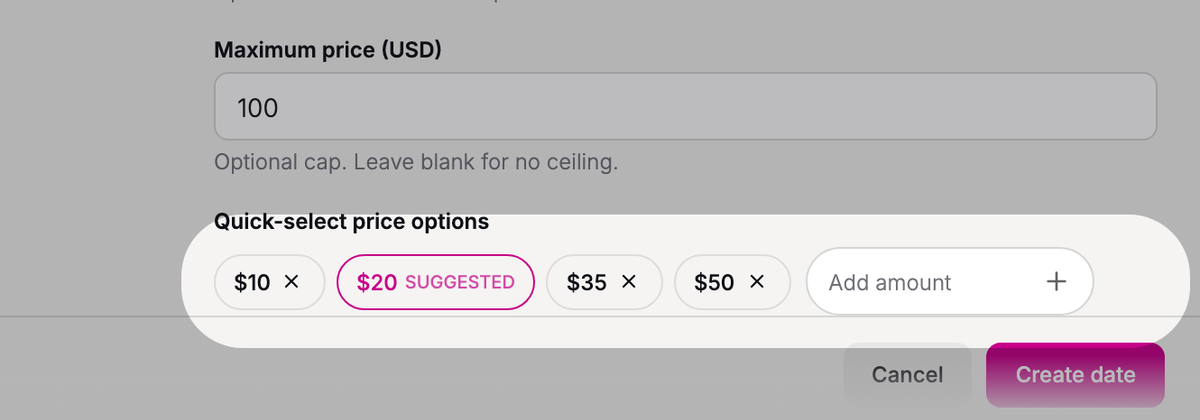
- Step 5:
Click Create date.
You'll see "Date created". In the Dates list, the date's Ticketing column shows "Pay what you will" with your suggested and maximum prices, like "Suggested $20, max $100".
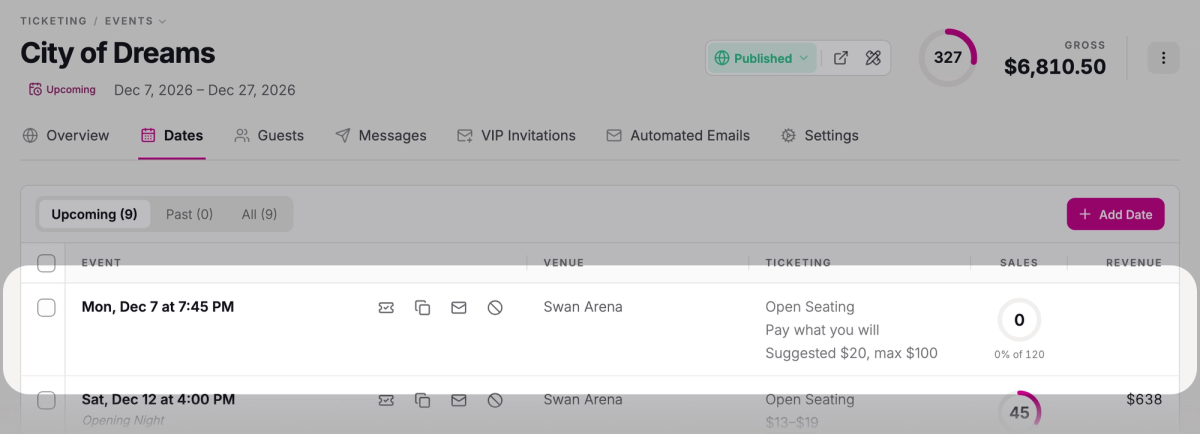
What patrons see
When patrons click Buy Tickets on your event page, your date shows its lowest price, like "From $5". If your minimum is $0, it says "Pay What You Will" instead.

When patrons choose the date, they pick an amount from your list or choose Other amount to type their own. If you set a suggested price, it's already picked for them. Your maximum shows under the amount, like "Up to $100.00", and patrons can't pay less than your minimum or more than your maximum.
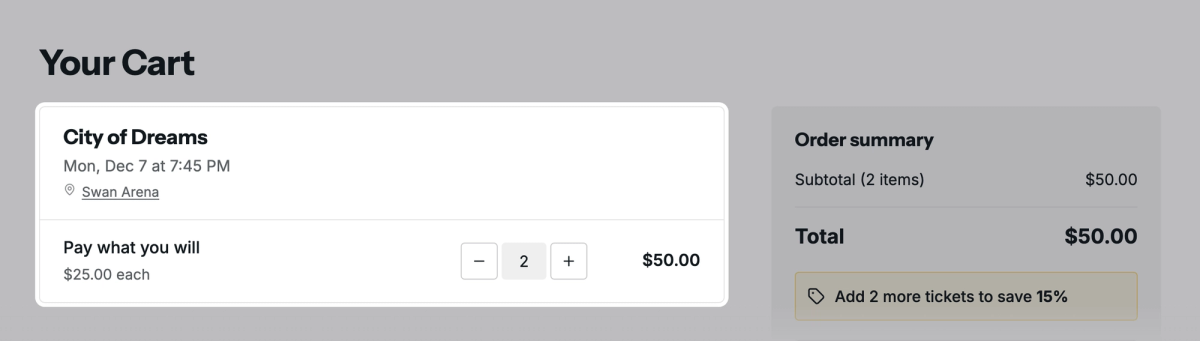
Then the patron chooses how many tickets they want and adds them to the cart. The amount is for each ticket, so two tickets at $25 come to $50.
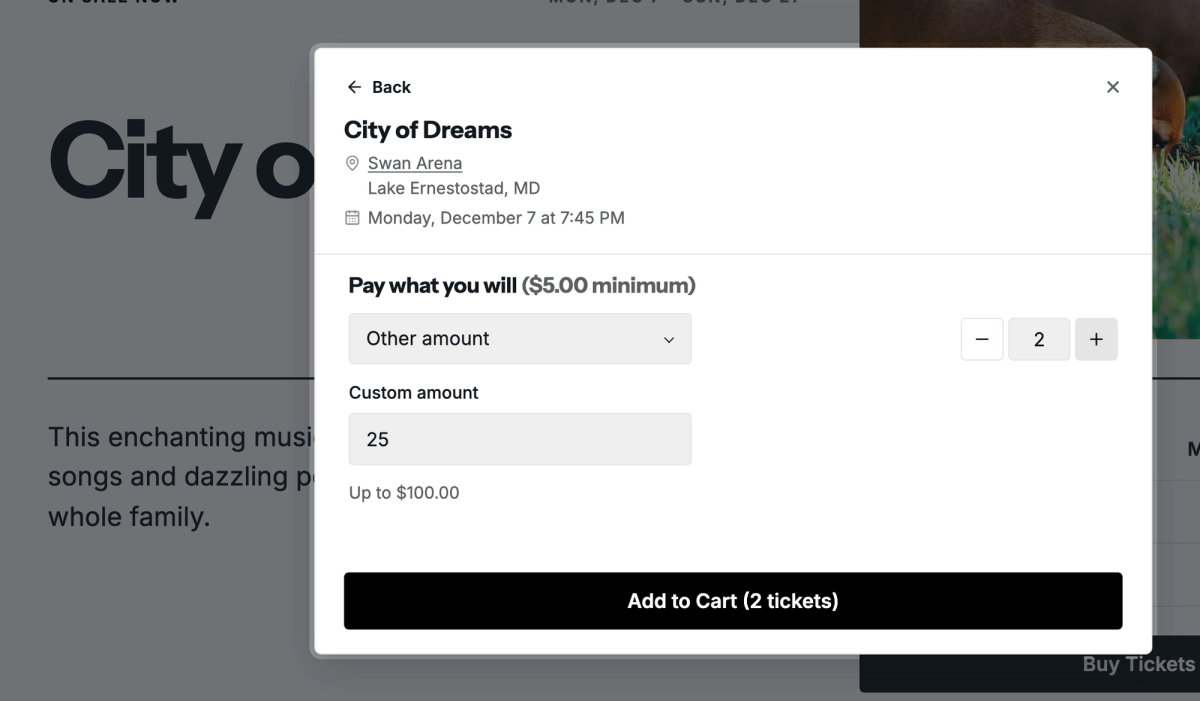
Troubleshooting
I don't see the Pricing option
Pricing only shows when Ticketing scheme is Open Seating, Seating chart is Fixed Capacity, and the date has no sections. If you clicked Add sections under Capacity, remove the sections and Pricing comes back.
Was this article helpful?