
Patron communication preferences
Stop sending a patron your marketing emails, or their receipts and tickets too, when they ask to unsubscribe.
When a patron asks you to stop emailing them, you can take care of it in a few clicks, and choose whether they still get their receipts and tickets. Let's get started!
Change what a patron gets
- Step 1:
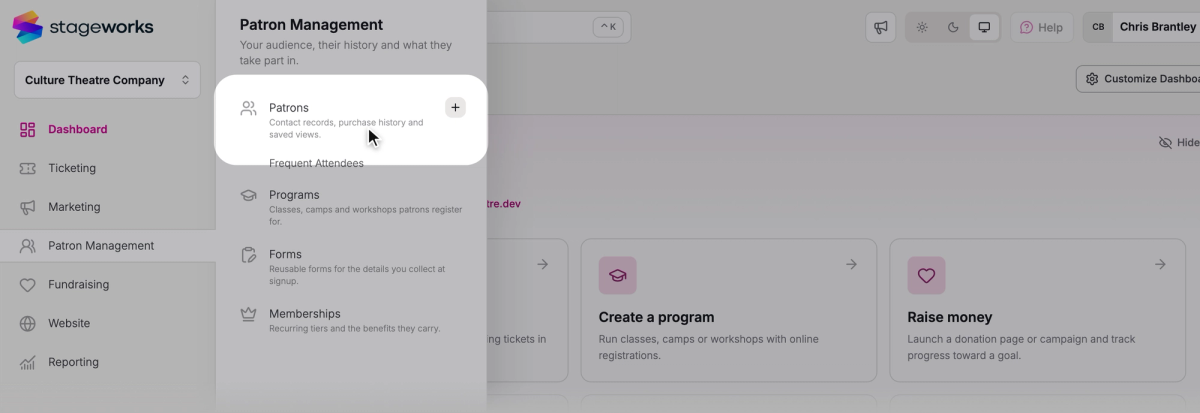
In the sidebar, click Patron Management, then Patrons.
- Step 2:
Search for the patron and click their name.
- Step 3:
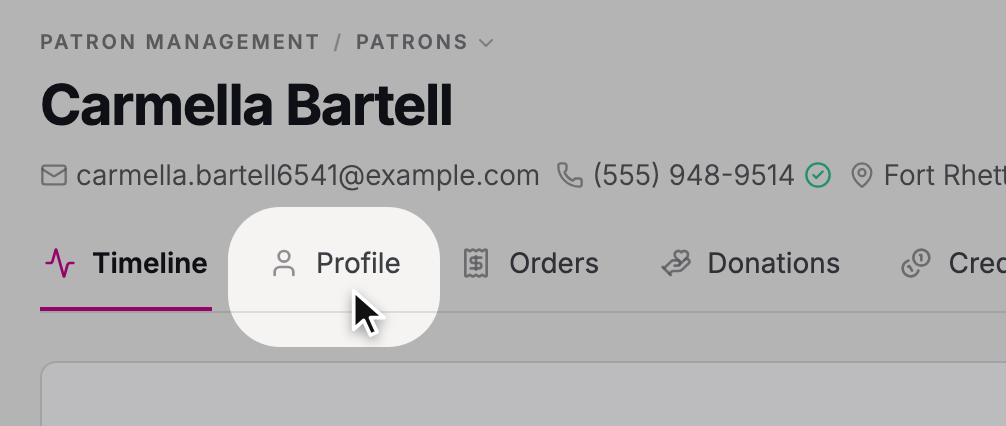
Click the Profile tab.
- Step 4:
Scroll down to Communication, and under Email, choose what they should get. It saves as soon as you choose.
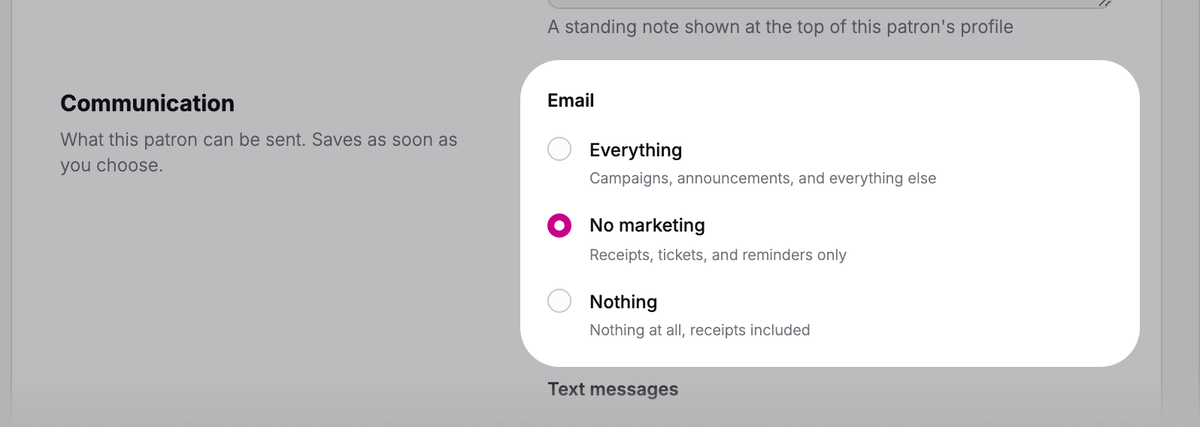
Here's what each choice means:
- Everything: your newsletters and other marketing emails, plus receipts, tickets, and reminders.
- No marketing: no newsletters or other marketing emails. They still get receipts, tickets, and reminders for what they buy.
- Nothing: not even receipts or tickets for what they buy.
If they'd like you to stop texting them too, choose Nothing under Text messages, just below Email.
If the patron already unsubscribed
When a patron clicks the unsubscribe link in one of your emails, you'll see a note under Email saying when they did, with No marketing already selected. There's nothing for you to do.
If you see a red note that email to this address bounced or was reported as spam, your marketing emails won't reach them, whatever you choose.
 SuggestedBuild and save patron segmentsPick who gets your marketing emails. Patrons who chose No marketing are left out for you.
Was this article helpful?