
Ask for donations at checkout
Invite every ticket buyer to add a gift to your default campaign on their way through checkout.
Invite every ticket buyer to add a gift on their way through checkout. They pick an amount and pay for it with their tickets, with nothing extra to fill in. The ask shows while your default campaign is published. It's one of the Fundraising tools for nonprofits built into Stageworks.
Turn it on
Checkout gifts go to your default campaign, so patrons only see the ask while that campaign is published and not archived.
- Step 1:
Go to Settings › Organization.
- Step 2:
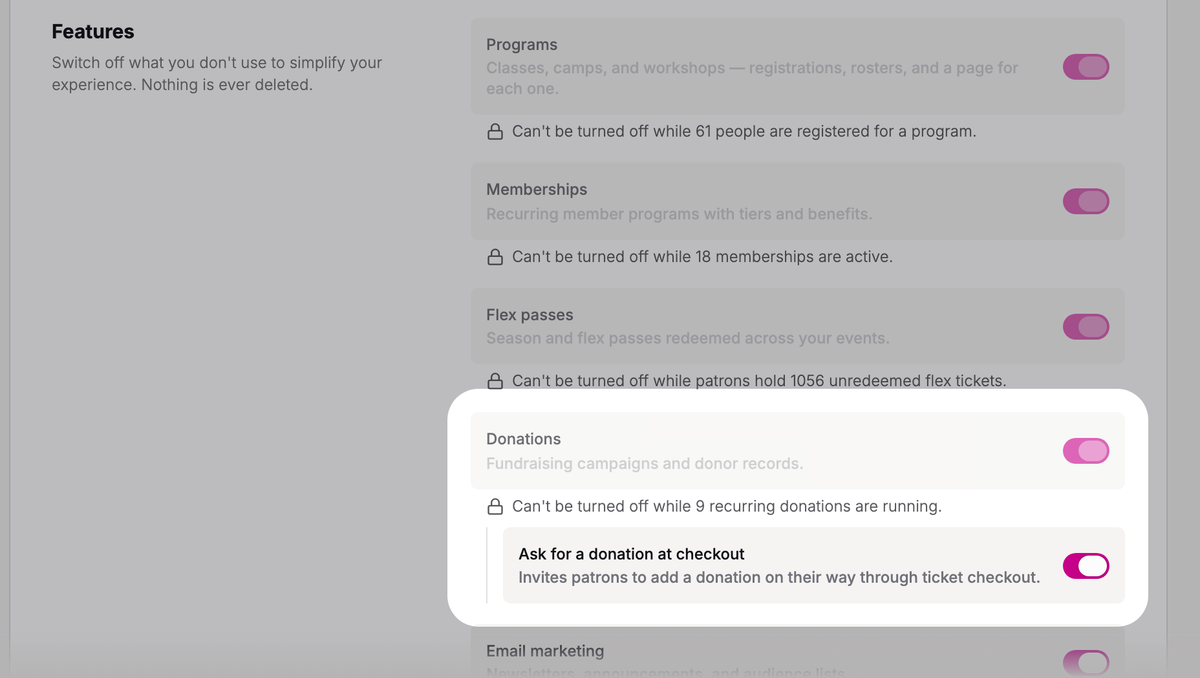
Under Features, turn on Donations if it's off.
- Step 3:
Turn on Ask for a donation at checkout, just below it.
- Step 4:
Click Save changes at the bottom of the page.
If the switch says it needs a published campaign, Run a fundraising campaign shows how to publish one and make it your default.
What patrons see
At checkout on your site, patrons see Add a donation (optional), with None picked to start, a row of amounts, and Other for an amount of their own. The amounts are your default campaign's One-time amounts, which you can change on its Settings tab in Fundraising › Campaigns.
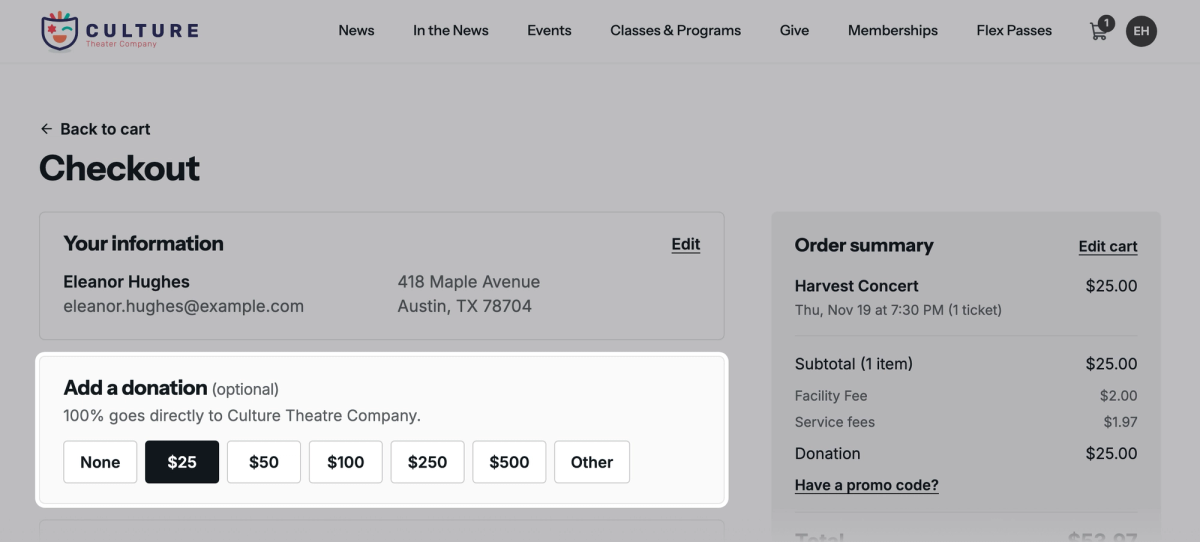
The gift is added to their order as a Donation line, and they pay for it and their tickets in one payment. It's on their receipt, and they get a thank-you email for it.
Patrons who buy through the ticket widget on your own website see the ask there too, with the same amounts.
Where the gifts go
Each gift is recorded in your default campaign under the patron's name, and you'll find it in Fundraising › Donations.

Stageworks' service fee on the gift comes out of the gift, since patrons can't cover it at checkout. For a tax-exempt organization, $1.28 comes out of a $25 gift, which shows $23.72 as Net to you. For rates, see How service fees work.
Refunding the whole order refunds the gift with it. To refund just the gift, open it in Donations and click Refund; the patron keeps their tickets.
Was this article helpful?

Fundraising tools for nonprofits
Raise money right where you sell tickets, with campaign pages, one-time and monthly gifts, a record of gifts that come in other ways, and a donation ask at checkout.
Run a fundraising campaign
Give an appeal its own page on your site, with a goal donors can see, and see every gift to it in one place.
One-time and monthly gifts
Let donors give once or every month from your website, then see, start, cancel and refund gifts in Stageworks.
Record and import donations
Add gifts that came by check, cash or another platform to Stageworks, one at a time or from a spreadsheet, and link them to your patrons.