
Add your own fees
Charge a fee of your own on tickets, like a facility fee, and choose which events charge it.
Here's how to add a fee of your own to ticket sales, like a facility fee, and choose which events charge it. Patrons pay your fee with their tickets, and the money goes to your organization along with the sale. For Stageworks' service fee, see How service fees work. Let's get started!
Create a fee
- Step 1:
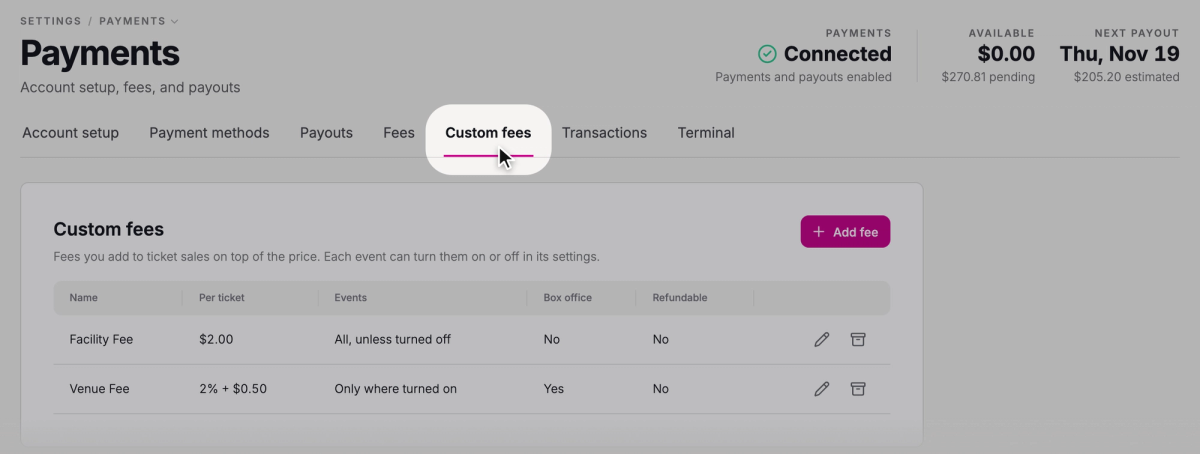
Go to Settings → Payments and click the Custom fees tab.
- Step 2:
Click Add fee.
- Step 3:
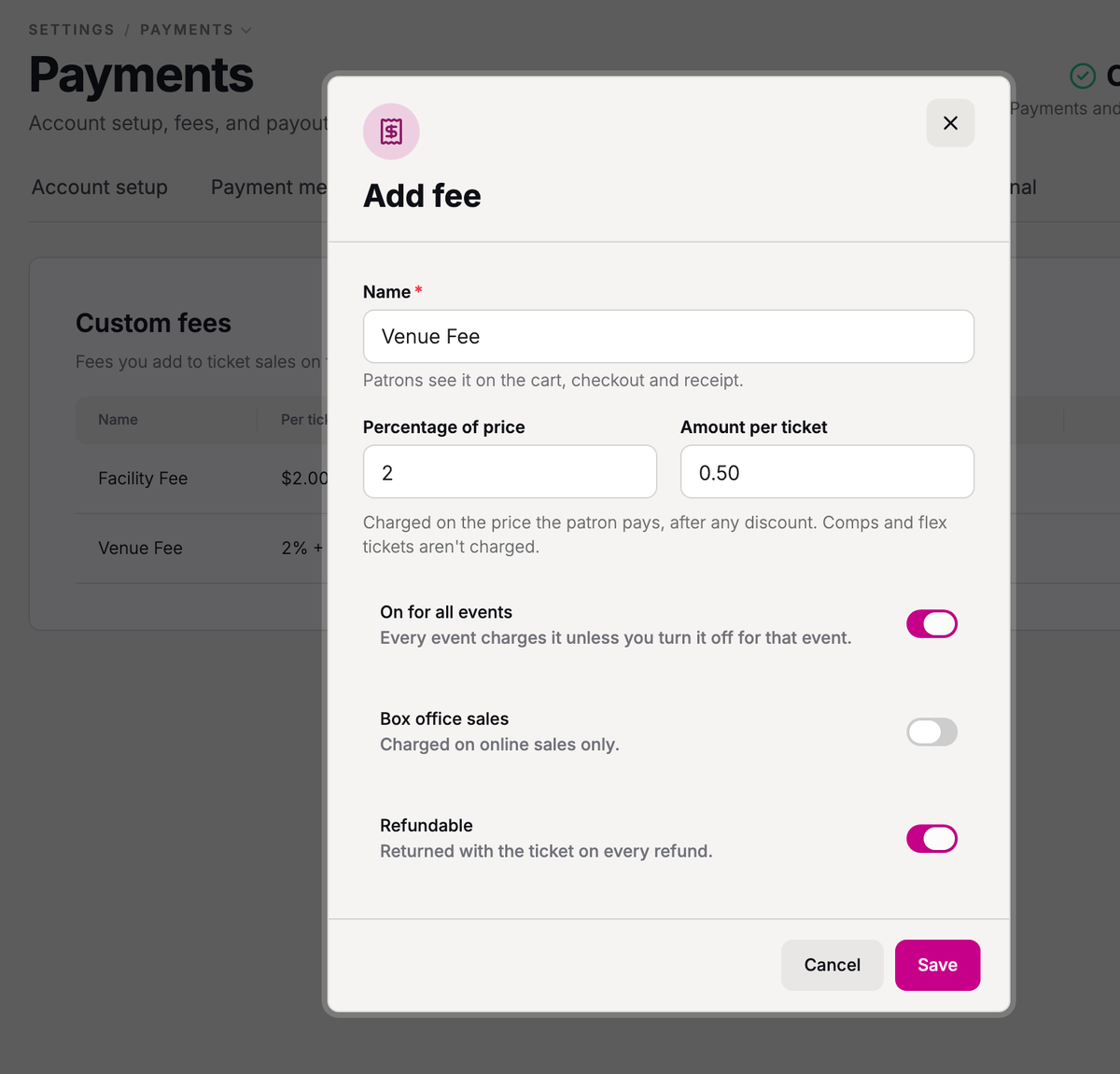
In Name, enter the name patrons will see, like Facility Fee.
- Step 4:
Enter a Percentage of price, an Amount per ticket, or both. For example, enter 2 and 0.50 to charge 2% + $0.50 on each ticket.
- Step 5:
Leave On for all events on to charge the fee on every event, or turn it off to charge the fee only on the events you choose.
- Step 6:
Turn on Box office sales to charge the fee on sales your staff make too, at the box office or in the Stageworks app. Otherwise, it's charged on online sales only.
- Step 7:
Leave Refundable on to return the fee whenever a ticket is refunded. Turn it off to keep the fee when staff refund a ticket for a patron, unless staff choose to refund the fee too. Canceling a date with a refund or credit still returns the fee.
- Step 8:
Click Save.
Custom fees are charged on tickets only, not on donations, memberships, flex passes, or programs like classes and camps.
Choose which events charge the fee
You can turn a fee on or off for a whole event series, and for any one date in it. A date's choice wins over its series', and a series' choice wins over the fee's own setting.
For an event series
- Step 1:
Click Ticketing, then Events, and open the event series.
- Step 2:
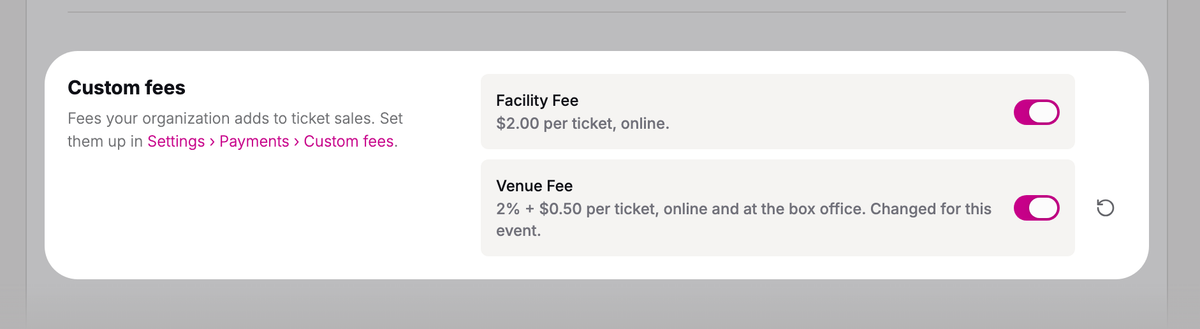
Click the Settings tab and scroll to Custom fees.
- Step 3:
Turn each fee on or off.
- Step 4:
Click Save changes.
To have the series follow the fee's own setting again, click the reset button (the circular arrow) beside the fee.
For one date
- Step 1:
On the event series' Dates tab, open the date.
- Step 2:
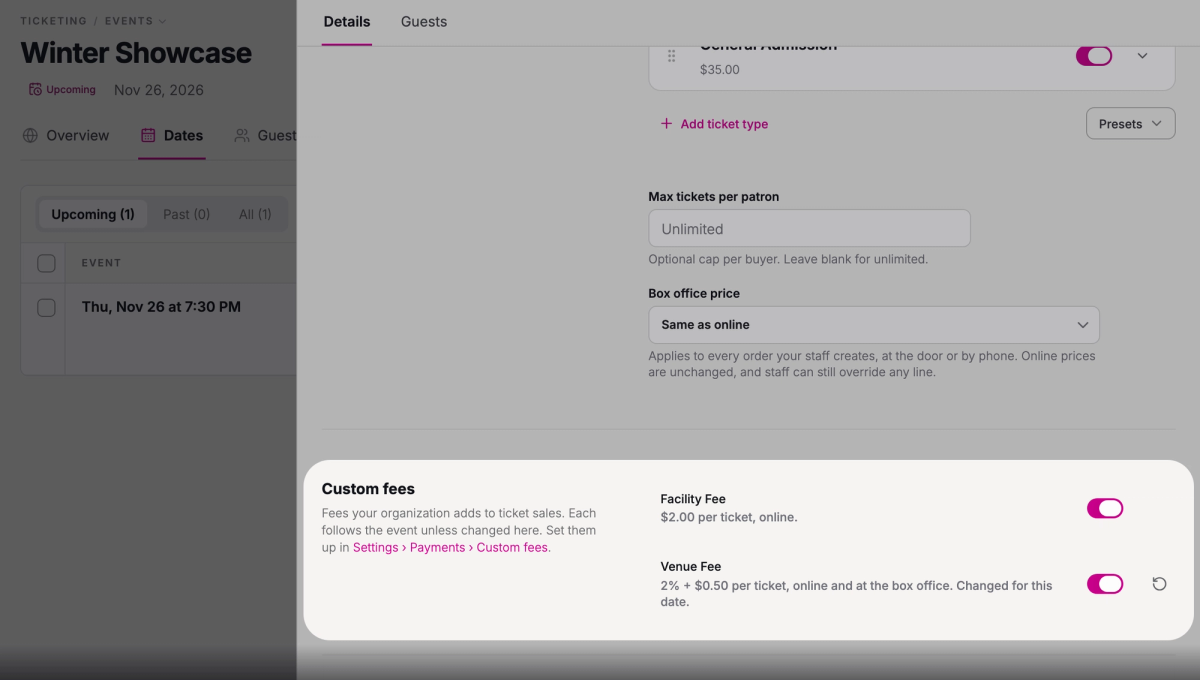
Scroll to Custom fees and turn each fee on or off.
- Step 3:
Click Save changes.
What patrons pay
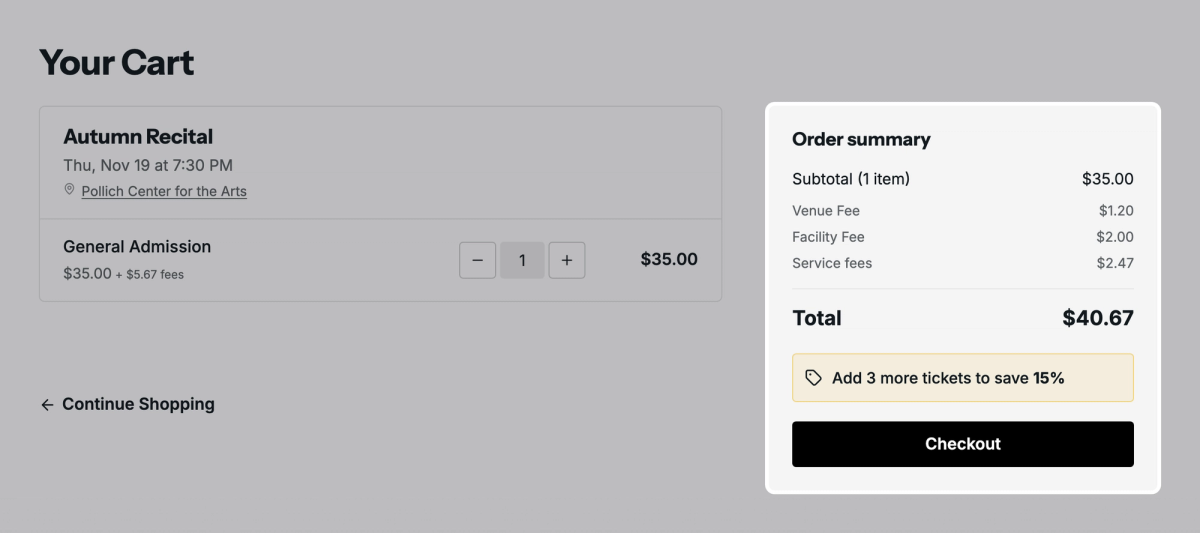
Say you charge a $2.00 Facility Fee and a 2% + $0.50 Venue Fee, patrons pay the service fee, and the series uses Separate fee. On a $35 ticket, the Venue Fee comes to $1.20.
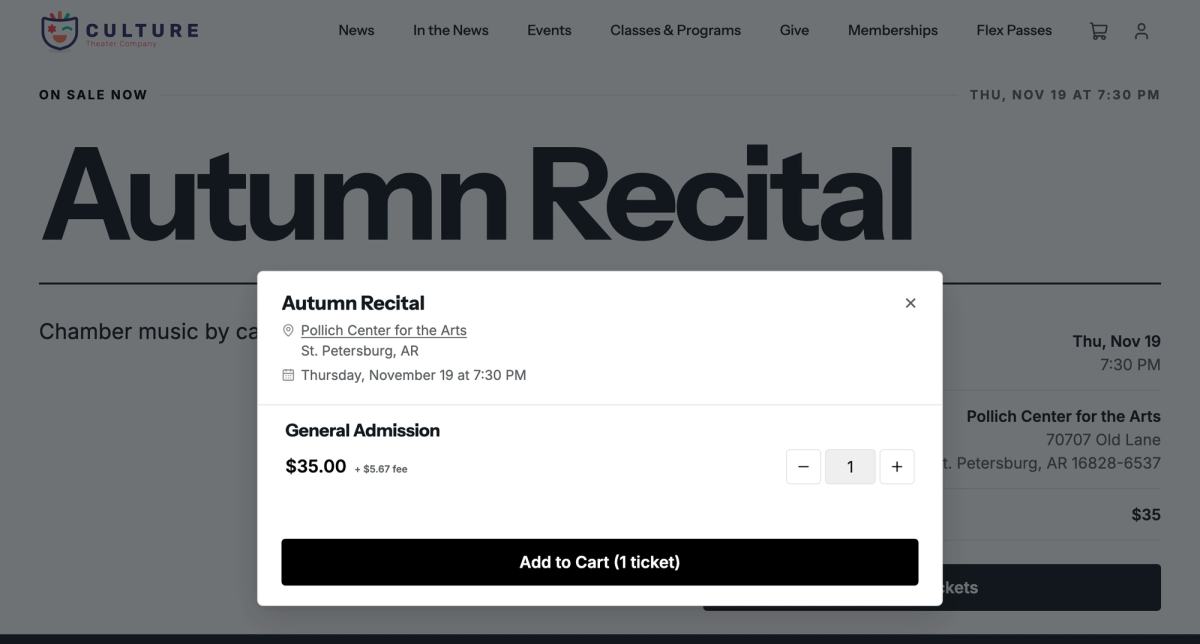
When patrons choose their tickets, they see "$35.00 + $5.67 fee": your $3.20 in fees and the $2.47 service fee as one figure.
In the cart, at checkout, and on the receipt, each fee is listed by name: Facility Fee $2.00, Venue Fee $1.20, and Service fees $2.47, for $40.67 in all. The service fee is charged on your fees too, so it's $2.47 here instead of $2.33 on the ticket alone.
Your organization gets the $35 plus the $3.20 in fees. Card processing comes out of the service fee, so that $38.20 is what's deposited for this sale.
Comps carry no custom fees, and neither do tickets a flex pass covers in full. A discount lowers a percentage fee, since the percentage is worked out on what the patron pays: with 20% off that $35 ticket, the patron pays $28 and the Venue Fee is $1.06, while the $2.00 Facility Fee stays the same.
If an event series uses Include in price, patrons see one ticket price at checkout that includes your fees and the service fee. You can set that up in Choose who pays service fees.
Refunds and reports
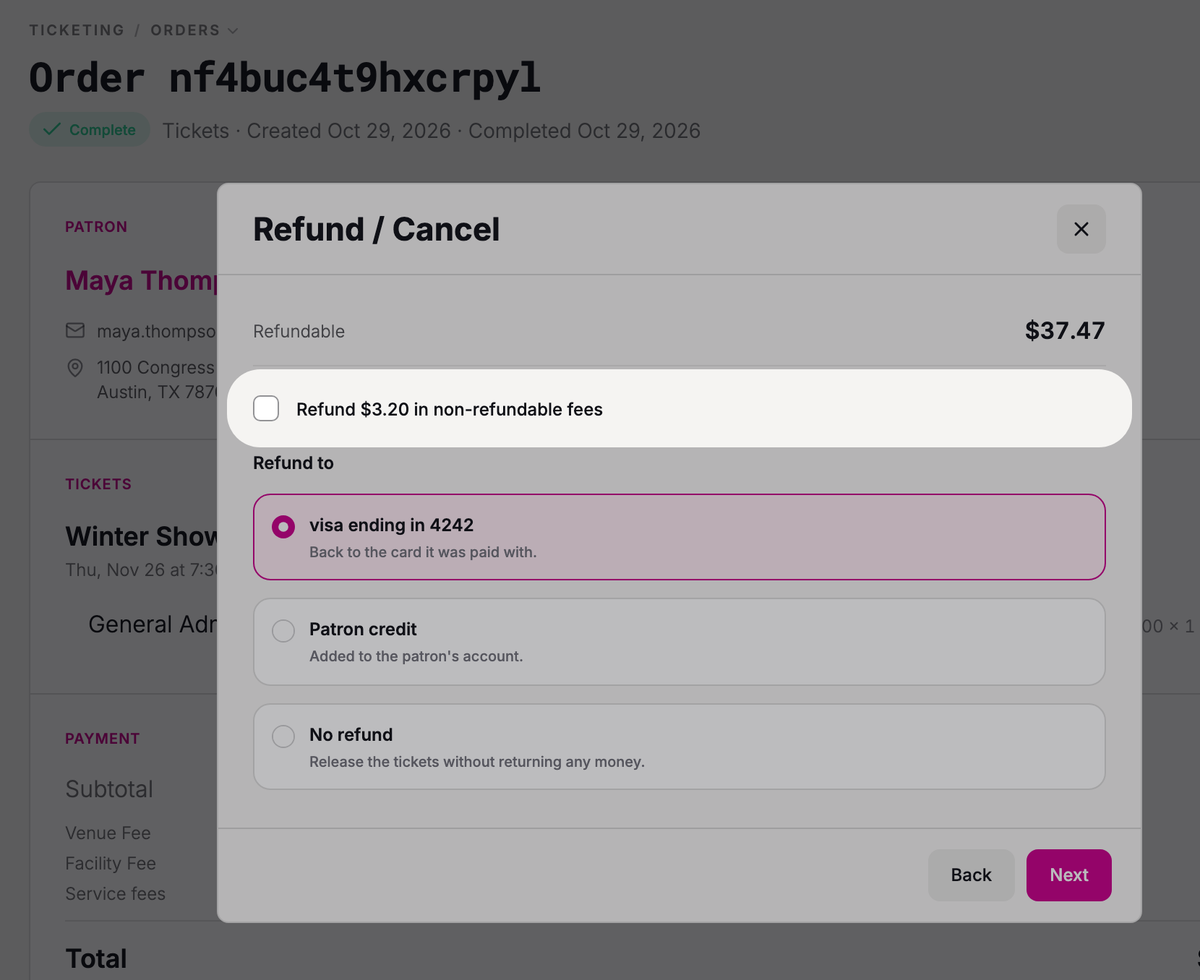
To refund a non-refundable fee along with the tickets, go to Ticketing → Orders, open the order, and click Refund / Cancel. On the refund step, check Refund $3.20 in non-refundable fees (it shows your order's amount).
Each fee has its own line in your reports, which helps when part of a fee is owed to someone else, like your venue. Under Reporting, the Ticket Sales report has a column for each fee, and the Financial Summary lists each one as its own source of revenue, with its refunds on a line of their own.
Turn a fee off
To stop charging a fee everywhere, click Archive on its row in Custom fees. To stop it on only some events, turn it off for those events instead.
Changing or archiving a fee only affects new sales. Orders already placed keep the fees they were charged.
Was this article helpful?

How service fees work
What the Stageworks service fee is, your choices for who pays it and what patrons see, and where it shows up in your orders and reports.
Choose who pays service fees
Decide whether patrons, your organization, or both pay the service fee on online sales, and whether patrons see it on its own line or built into the price.