
Sell tickets on a website you host elsewhere
Keep your own website and sell tickets, take donations, and sign up members and email subscribers right on it, with checkout from Stageworks.
Already have a website you're happy with? Keep it. Stageworks widgets put ticket sales, donations, membership signups, and email signups right on your own pages, and Stageworks takes care of checkout. Here's what you can add, how patrons buy, and how to make it all match your site.
What you can add
Each widget is a short piece of code you copy from Stageworks and paste into a page on your site. All you need is a block that lets you add code to a page, called something like Embed, Code, or Custom HTML. You'll find every widget in Website → Widgets, grouped by what it does.
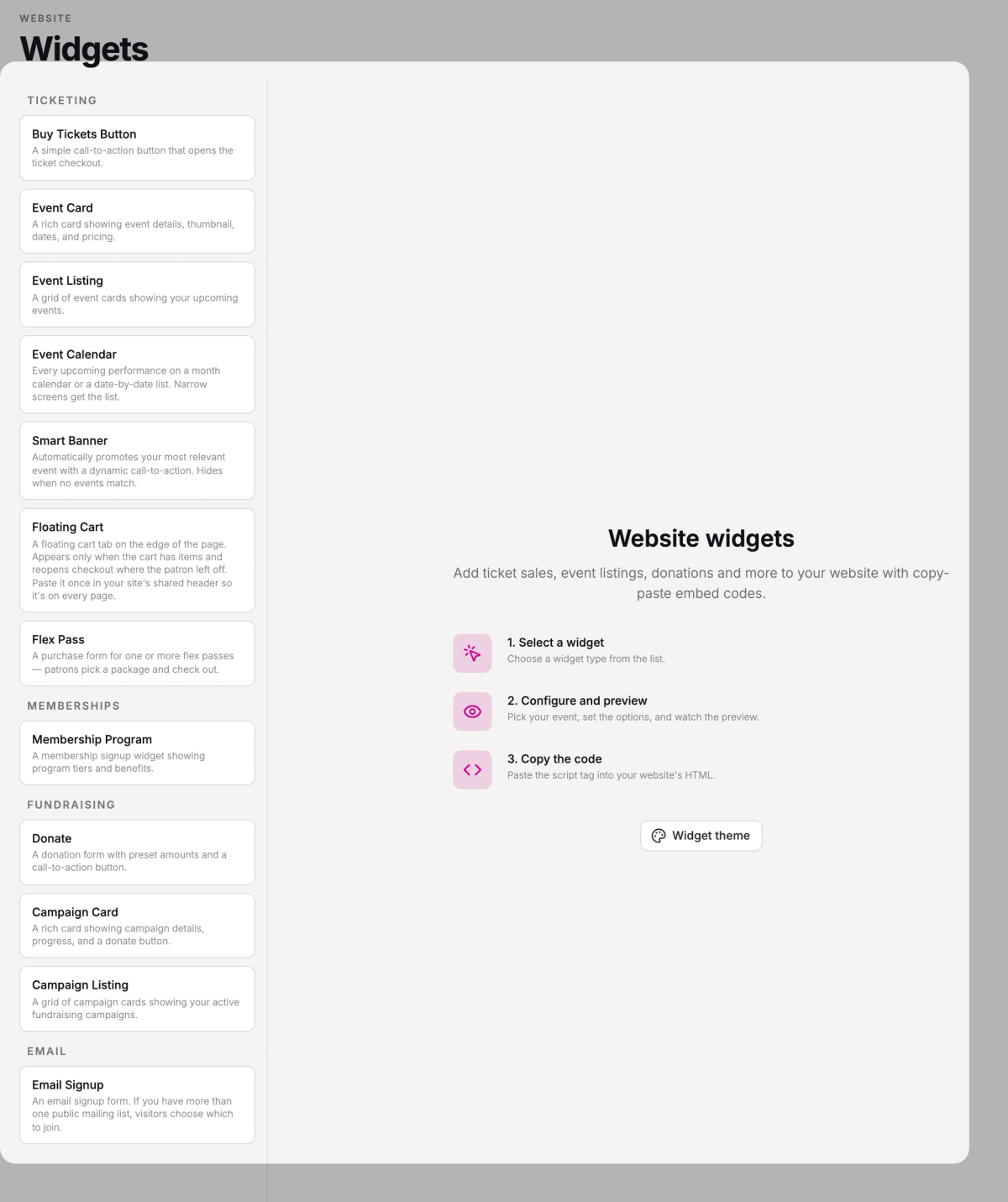
Ticketing widgets sell your shows: a Buy Tickets Button for one event, an Event Card with an event's dates and prices, an Event Listing of what's coming up, or an Event Calendar of every performance. A Flex Pass widget sells your flex passes too.
Memberships has the Membership Program widget, which shows your tiers and benefits so patrons can join from your site.
Fundraising widgets take donations: a Donate form, or a Campaign Card or Campaign Listing for your fundraising campaigns.
Email has Email Signup, a form for joining your mailing list.
If the Fundraising or Email widgets are missing, switch on Donations or Email marketing in Settings → Organization.
Add as many as you like, even several on one page. Setting up widgets takes the Manage portal settings permission, which owners and admins have automatically.
How patrons buy
On a computer, when a patron clicks to buy tickets, checkout opens in a drawer on the side of your page. They choose their tickets and pay without ever leaving your site.
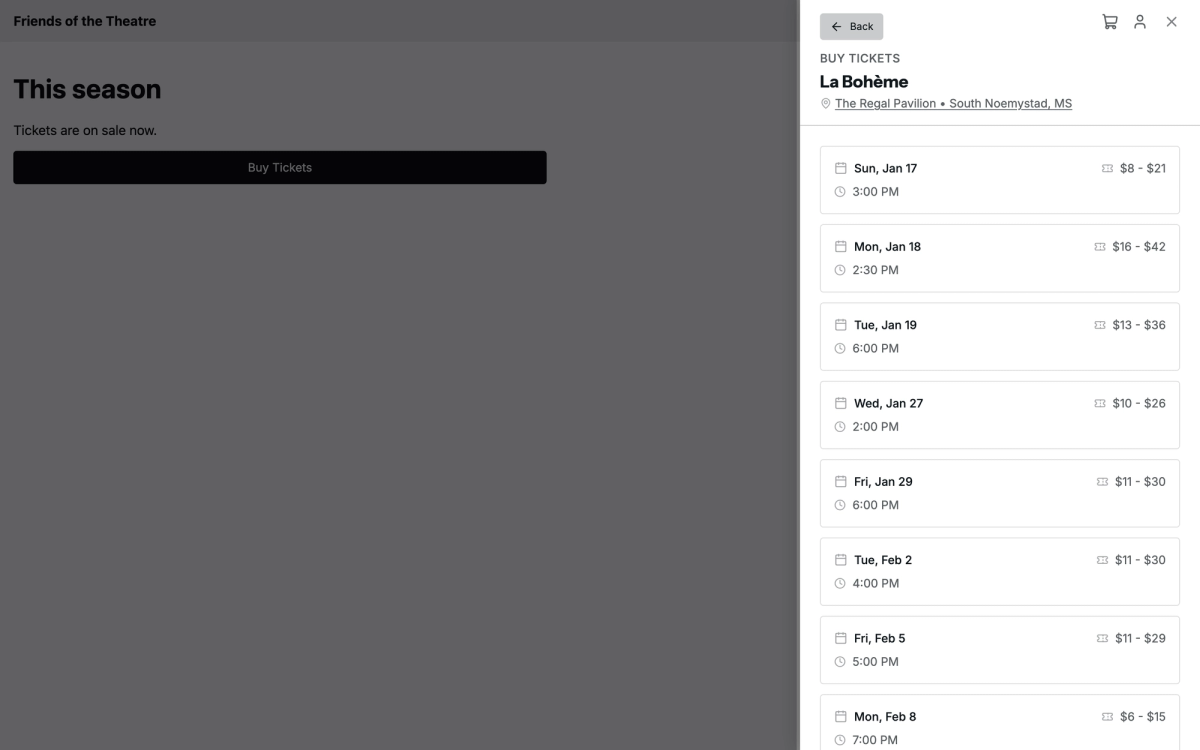
On a phone or tablet, the button takes them to Stageworks' checkout page instead, and closing it brings them back to your page.
Add the Floating Cart widget too. Paste it once in your site's shared header, the part that appears on every page. On a computer, a small tab then shows on the edge of the page once a patron has something in their cart, and clicking it opens their cart.
One look for every widget
Your Widget theme sets the colors, fonts, and corners for every widget and for the checkout drawer, so they feel like part of your site.
It's separate from your Stageworks website's theme, so the two can look different. When you change it, the widgets already on your site update within a few minutes, with nothing to paste again.
Widgets or a Stageworks website?
Stageworks also gives you a website, ready from day one. Your events, campaigns, memberships, and passes show up on it as you publish them.
If you love the site you have, add widgets and keep it. If you'd rather not run a separate site, your Stageworks website can be your main one: see Your Stageworks website.
The two work together, too. A ticket widget's button can take patrons to the event's page on your Stageworks website instead of opening checkout on your page.
SuggestedAdd a ticket widget to your websiteSet up your first widget, copy its code, and paste it on your site.Was this article helpful?